Revamping Ola Food’s
order tracking experience
How we reduced user anxiety and boosted our NPS score by 8%
TIMELINE
2 weeks
MY ROLE
Product Designer
TEAM
1 PD, 1 PM, 2 Devs
Impact
+8%
NPS score
-15%
No. of clicks on 'where is my order'
Context
What was the problem?
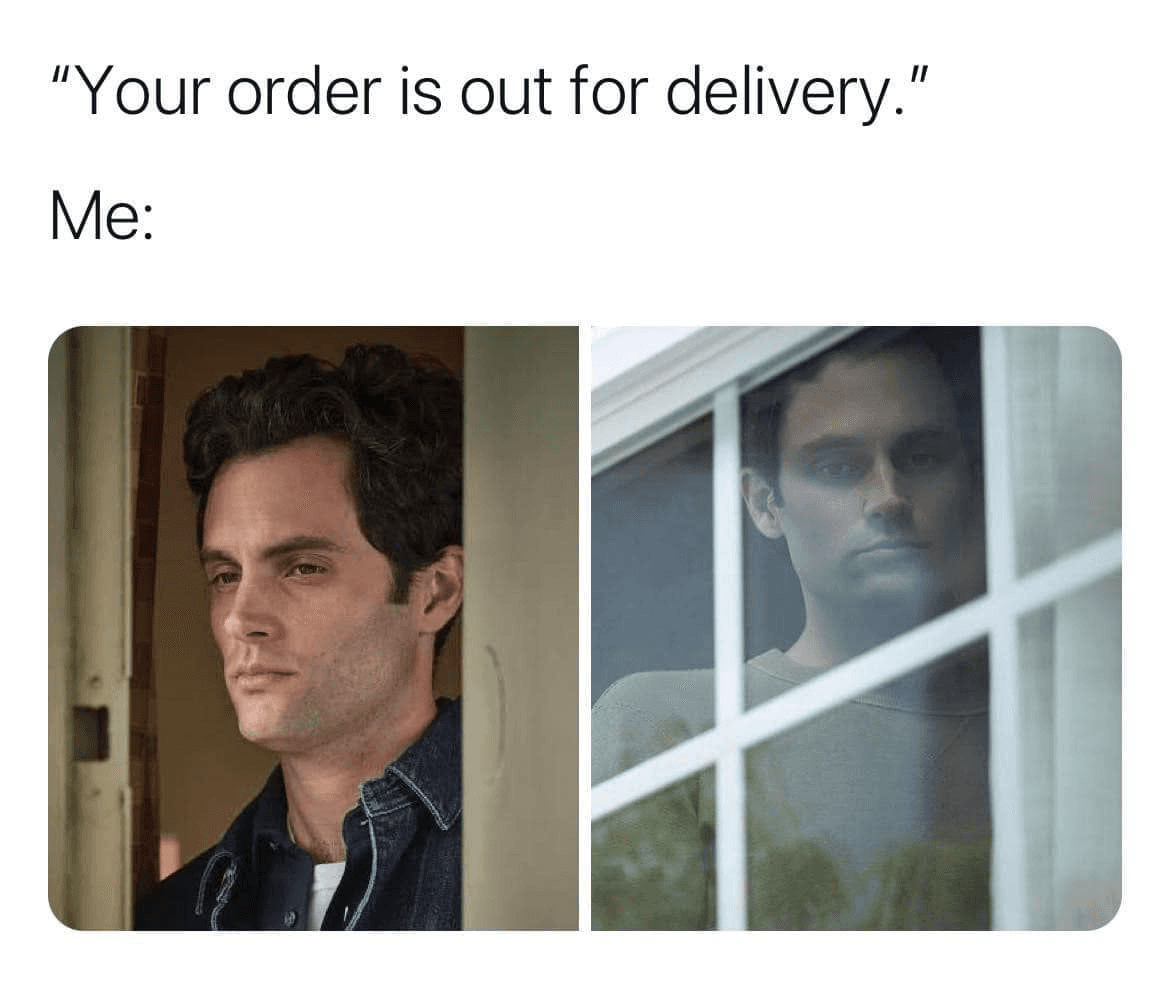
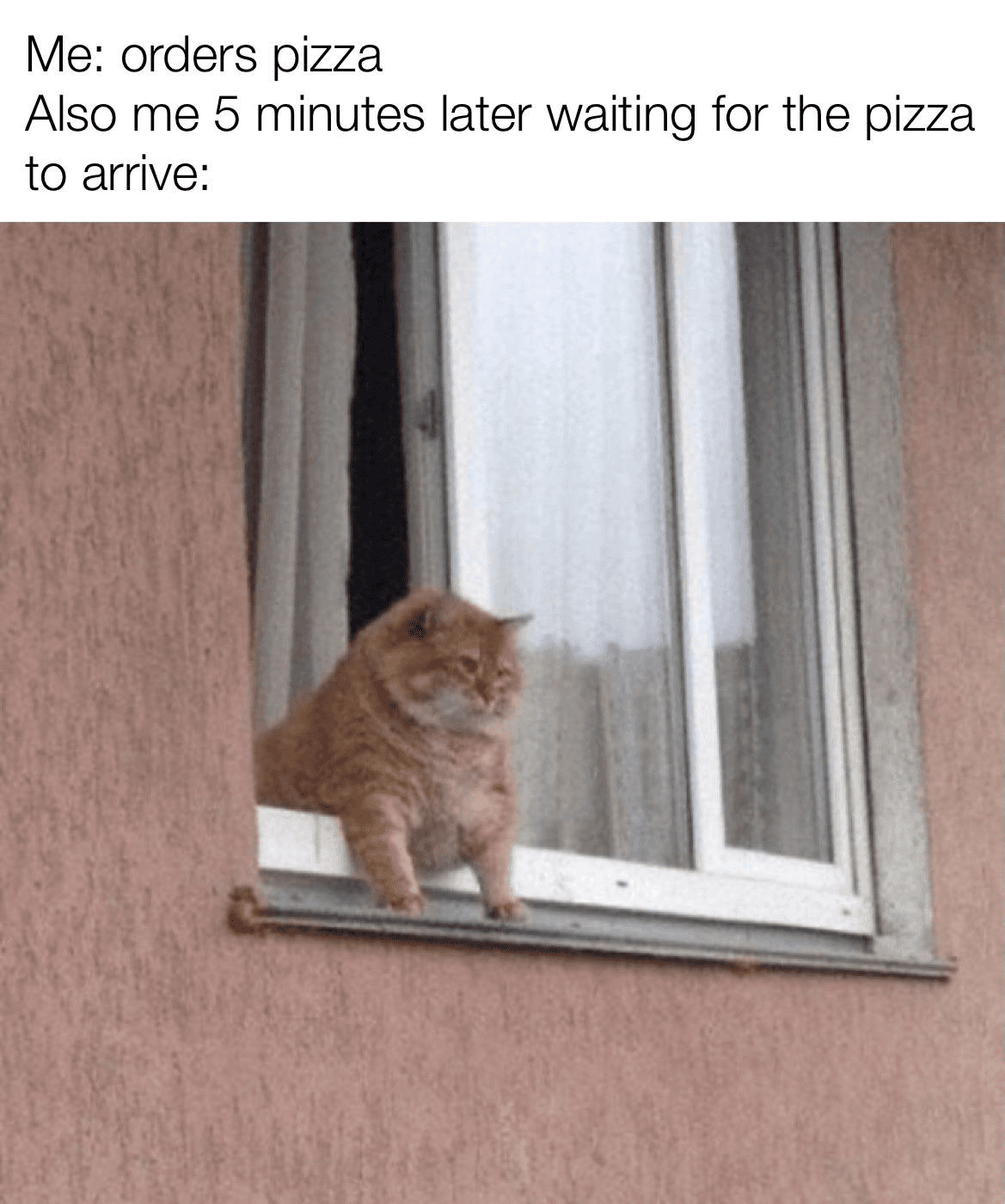
The order tracking experience failed to reassure. It lacked real-time updates and left people refreshing endlessly or calling riders directly. This is what went through user's mind after placing an order ⬇️
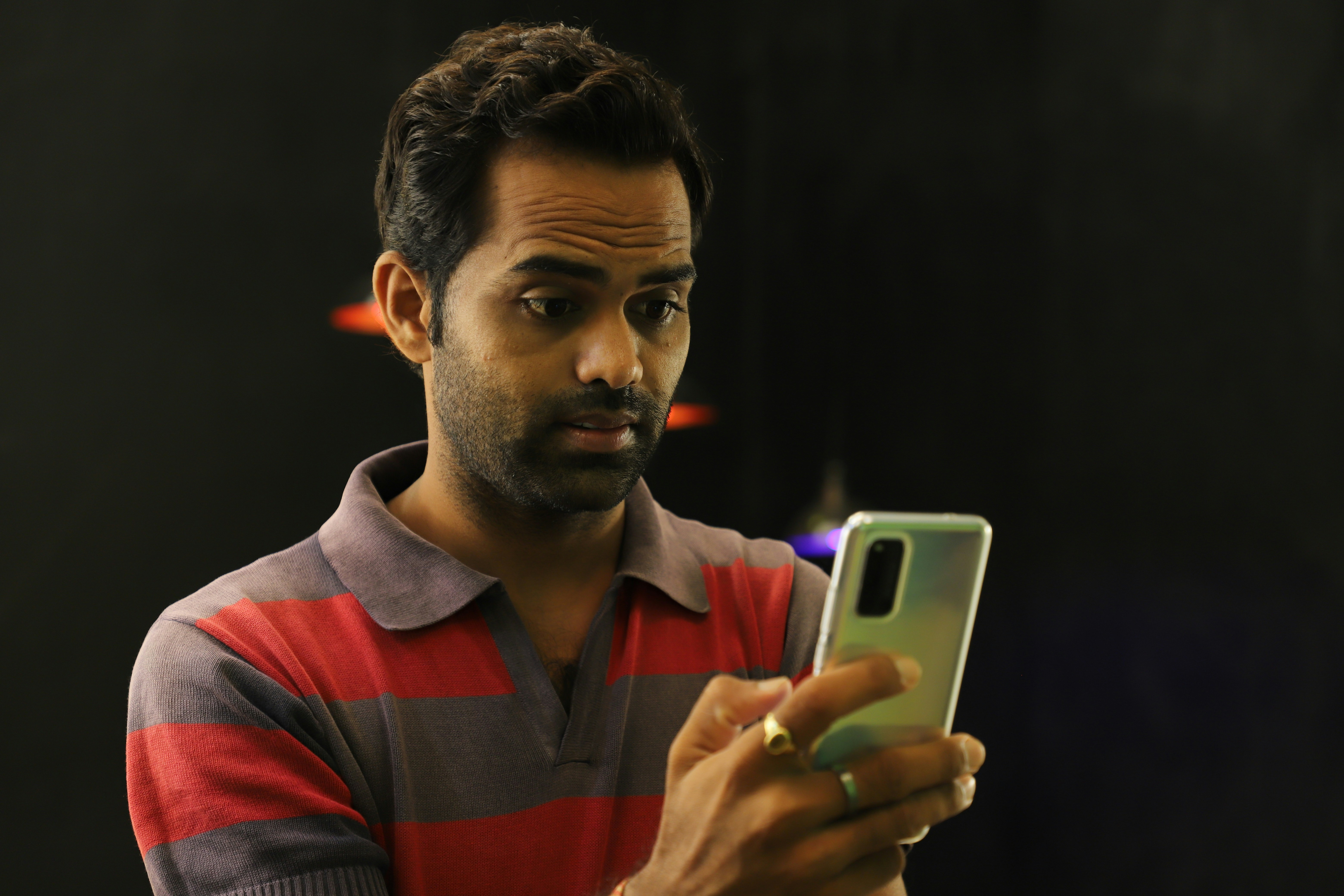
What’s happening right now?
When will my order arrive?
Is the order delayed?
Why this problem mattered?
30% of support tickets mentioned poor tracking
High “Where is my order?” clicks = low confidence
Users refreshed the screen repeatedly, or directly called riders
Understanding the problem
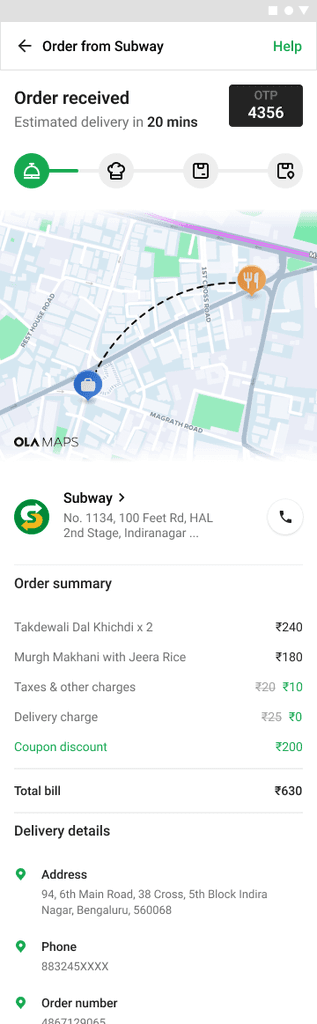
From tickets, reviews, and interviews, a clear pattern showed up, Users could not reliably answer “When will my order arrive” from the tracking screen. When tracking broke, they felt abandoned and immediately moved to calling riders or support.
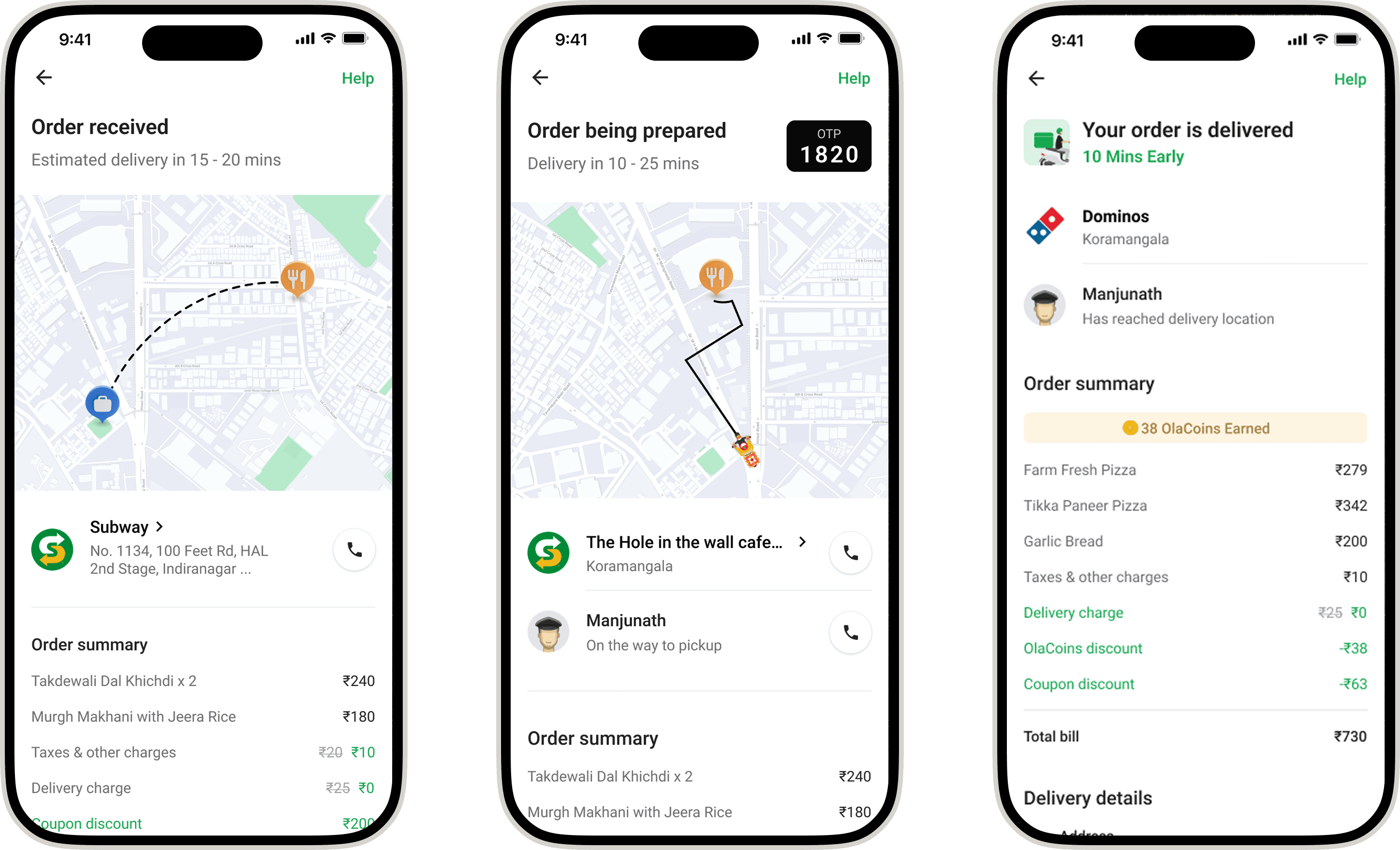
Old Designs
⏳
Static timeline
The user has to calculate
delivery time everytime.
🔄
Has no visual sense of progress
Forced users to keep refreshing
Goals
⏳
Make delivery progress feel real-time
😥
Reduce user anxiety
☎️
Lower support calls
🦄
Make the experience visually engaging
Research & Benchmarking
I benchmarked Zomato, Swiggy, Uber Eats, and DoorDash to understand what makes a great tracking flow. The key lessons were.
Real-time ETA builds trust
Milestone-based updates reduce anxiety
Engaging visuals and animations enhance experience
Status-based updates and driver signals improve clarity
Iterations
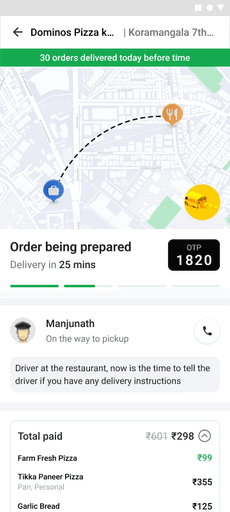
Before arriving at the final design, we explored multiple directions. Some of these concepts were visually engaging but the information hierarchy wasn’t working as intended, key details like ETA, status, and partner info weren’t getting the right emphasis.
Iterations
Dynamic information about the driver seems disconnected
ETA doesn't take the centre stage
Every section is asking for attention
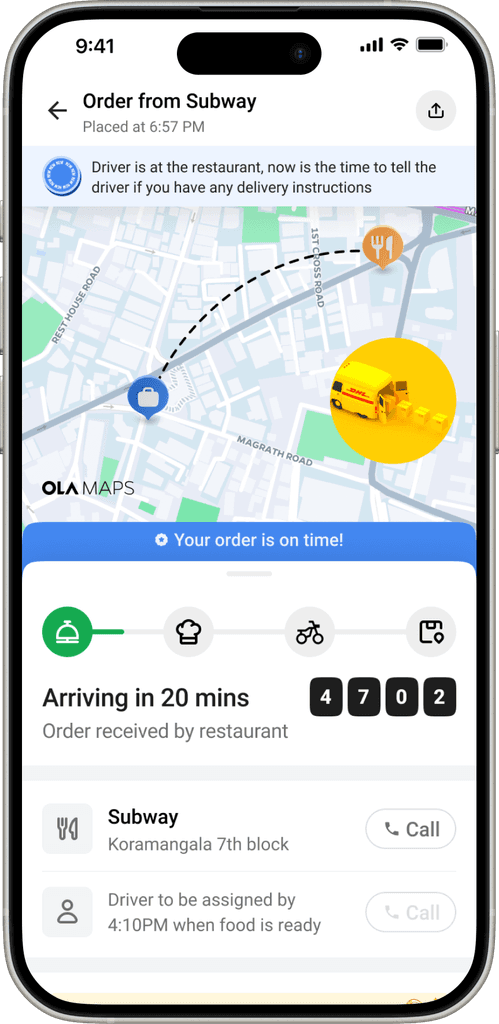
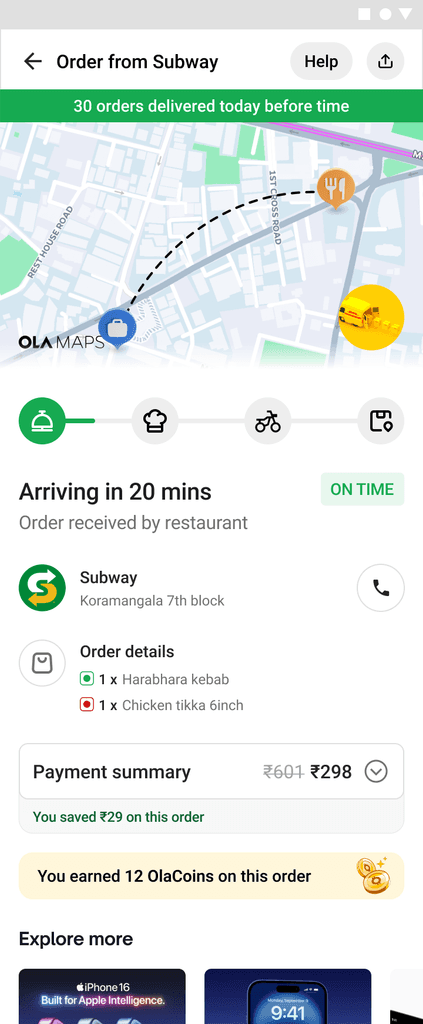
Designing for clarity
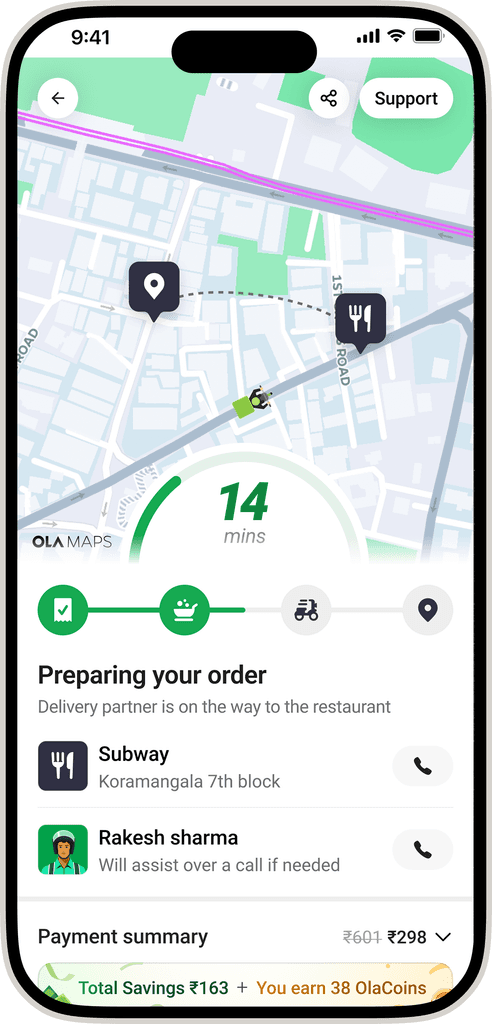
We redesigned the layout around how users actually think:
ETA - biggest, clearest element
Order status
Restaurant + partner details (secondary)
Simple, functional, and built for how people actually track orders.
ETA & Progress bar
Order status
Restaurant + partner details
ETA & Progress Bar
A color-coded bar shows if the order is on track. A quick glance tells real time ETA, progress, and dynamic data.
Real-time Milestones
We replaced vague status text with a clear sequence of milestones that move as the order progresses.
Stacked Notifications
Instead of cluttering the UI, important updates appear only when needed. Always visible, never noisy.
Reinforcing Value
Turning a waiting moment into a positive reminder surfacing savings and rewards earned. (Ola Coins is the app currency, 4 Olacoins = 1 rupee)

Visual communication for non-live tracking
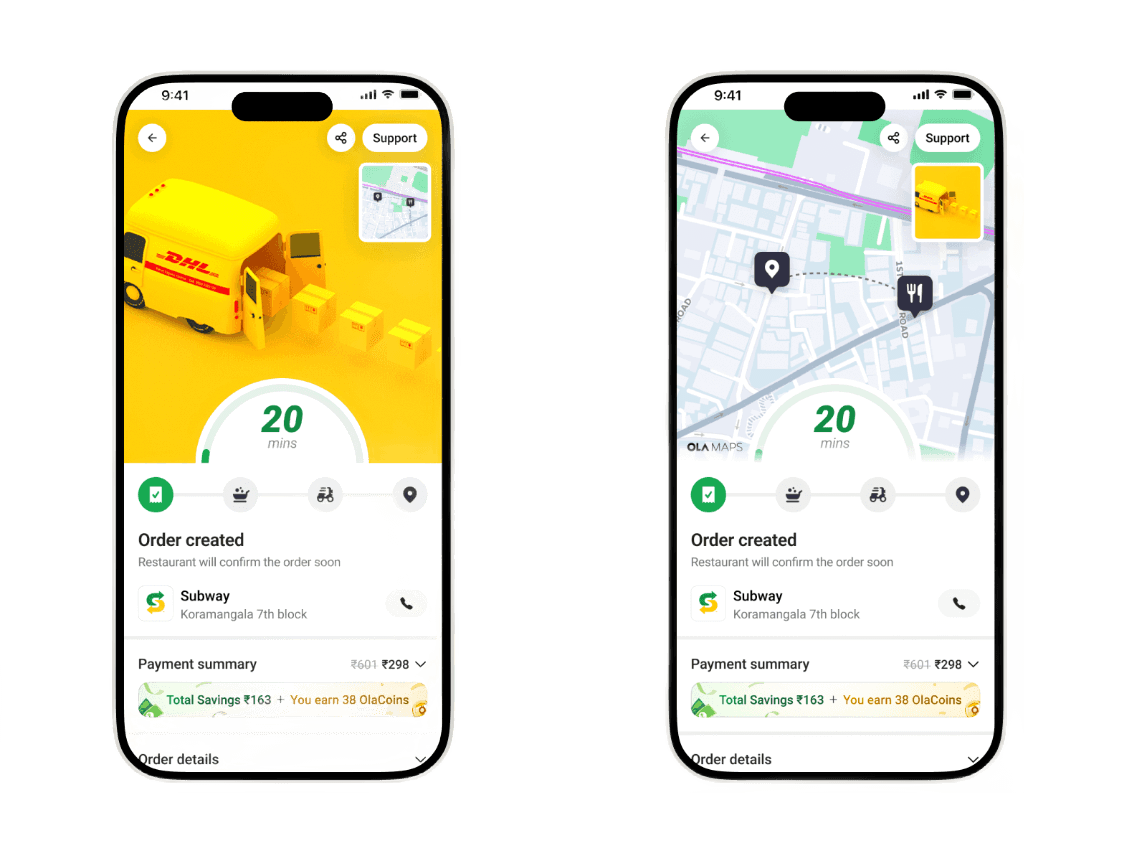
Some partners don’t provide live location data. Instead of showing an empty map, we introduced illustrated animated states that explain what’s happening behind the scenes. This turned a dead state into an emotional, reassuring one.
Future-ready layout for ads
Designed alternate layouts that allow for seamless ad placements ensuring the brand visuals feel natural, non-intrusive, and integrated into the overall tracking experience.
How did it go?
Users felt informed. Support team got fewer tickets. Design reduced stress without changing backend logistics. Adding dynamic information like early pick up, delayed and slightly delayed also helped us reduce user anxiety.
+8%
NPS score
-15%
No. of clicks on 'where is my order'
It's a team effort
Huge shoutout to the engineering team for bringing this massive feature to life, Febin Raj who helped create these stellar illustrations and taking the visuals to the next level, Deepak Sharma who brought those illustrations to life by his amazing motion design skills, my PM and leads for steering everyone in the right direction, and my design team for all the sharp feedback that made this even better.